
Imagine this: you’ve spent weeks setting up the ultimate Bitcoin fortress. You have three devices, each holding a piece of the puzzle, and your funds are safe from hackers. Then, disaster strikes. Your laptop dies, or worse, you lose one of your hardware wallets. Panic sets in. Can you still get to your money?
The answer is yes-but only if you prepared for this exact moment. Multisig wallet recovery is the process of regaining access to cryptocurrency secured by multiple private keys when standard access methods fail. It is not magic, and it is not simple. It requires specific files, specific tools, and a calm head. If you rely on memory alone, you will likely fail.
Why Multisig Recovery Is Different
Most people know how to recover a standard single-signature wallet. You type in your 12-word seed phrase into any compatible app, and boom-your coins are back. Multisig works differently. In a typical M-of-N setup, such as a 2-of-3 configuration, you need two out of three keys to sign a transaction. Losing one key is fine. Losing two? That’s permanent loss.
The complexity comes from the fact that multisig wallets don’t just store keys; they store a relationship between those keys. This relationship is defined by an output descriptor. Without this descriptor, even having all three seed phrases might not be enough to reconstruct the wallet address correctly. Think of the seed phrases as the ingredients and the output descriptor as the recipe. You can have all the flour and sugar, but without the instructions, you won’t bake a cake.
This is why experts like Jameson Lopp, CTO of Casa, emphasize that recovery requires both the signer’s public keys and the seed backups. It’s a higher bar than single-sig, but it offers protection against scenarios where a single device is stolen or damaged.
The Essential Toolkit for Recovery
To recover a multisig wallet, you cannot rely on mobile apps alone. You need desktop software that understands the underlying blockchain structure. The industry standard tool right now is Sparrow Wallet. It supports critical standards like BIP48 and BIP129, which dictate how multisig addresses are generated.
Here is what you must have before you start:
- Sparrow Wallet (Desktop): Currently running on Windows 10+, macOS 10.15+, or Linux. It requires Java 17+ to run.
- Your Seed Phrases: Depending on your M-of-N setup, you need at least M seeds. For a 2-of-3, you need two.
- The Output Descriptor: A long string of text that defines your wallet’s script type (P2SH, P2WSH, or P2TR) and key derivation paths.
- Hardware Signers (Optional but recommended): Devices like Trezor or Ledger can help verify transactions, but the reconstruction happens on the desktop.
If you used a service like Nunchuk, you might also need a BSMS file. This is a proprietary export format that contains your wallet configuration. Nunchuk simplified their recovery process in mid-2023 by allowing users to import this file directly into Sparrow. However, if you didn’t export this file monthly, you’re stuck with manual reconstruction.
Step-by-Step: Reconstructing Your Wallet
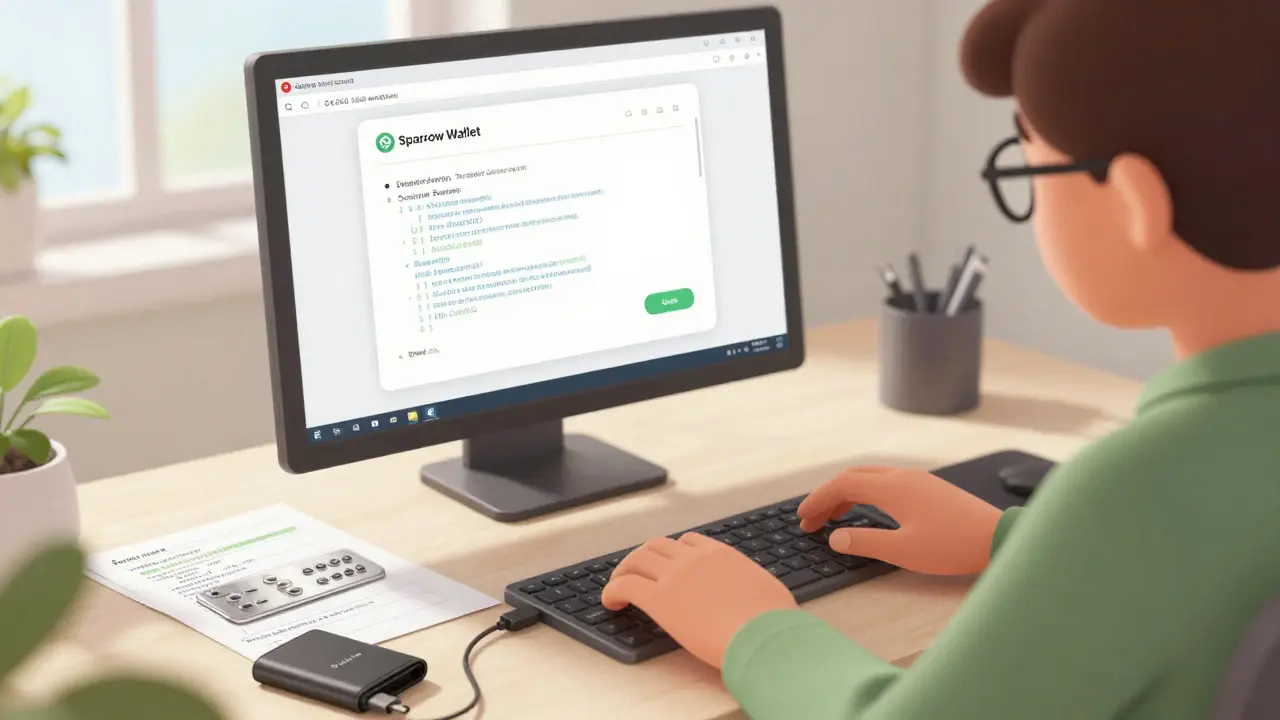
Let’s walk through the actual process. Assume you have lost one device in a 2-of-3 setup and want to move your funds to a new wallet. You have two seed phrases and your output descriptor.
- Install Sparrow Wallet: Download the latest version from the official site. Do not use third-party mirrors.
- Create a New Wallet: Select “Create New Wallet” and choose “Multisig.”
- Enter the Output Descriptor: Paste the descriptor you backed up during setup. If you don’t have it, see the next section on reconstruction.
- Add Signers: Import your two available seed phrases. Sparrow will derive the public keys automatically.
- Verify Balance: Once the wallet syncs with the blockchain, you should see your balance. This step confirms you reconstructed the address correctly.
- Create a Sweep Transaction: Send your funds to a new, secure wallet. Note that signing may take 3-5 seconds per signature on standard hardware.
This process takes about 15-30 minutes for experienced users. For beginners, expect to spend 2+ hours reading documentation and double-checking inputs. One wrong character in the descriptor means zero balance found.
What If You Lost the Output Descriptor?
This is the nightmare scenario. Many users back up their seeds but forget the descriptor. Without it, you must reconstruct the wallet manually. This is where things get technical.
You will need to use Bitcoin Core or advanced features in Sparrow. The process involves:
- Identifying the script type (e.g., P2WSH).
- Determining the key derivation paths (usually m/48'/0'/0'/2' for BIP48).
- Using the
scantxoutsetcommand in Bitcoin Core to scan the blockchain for UTXOs associated with your derived keys.
A case study from Bitcointalk in April 2022 shows a user recovering $60,000 using this method. They avoided JavaScript-based signing vulnerabilities by using Bitcoin Core directly. However, this required significant technical knowledge. If you are not comfortable with command-line interfaces, you may need to hire a professional recovery expert. Be wary of scams-only trust verified developers.
Comparing Recovery Methods by Provider
Not all multisig providers make recovery equally easy. Here is how the major players stack up based on 2023-2024 data:
| Provider | Recovery Method | Time Required | Difficulty | Key Requirement |
|---|---|---|---|---|
| Theya | Sovereign Recovery Guide | ~20 mins | Medium | 2/3 Keys + Output Descriptor |
| Nunchuk | BSMS File Export | ~15 mins | Low (if exported) | BSMS Config File |
| Casa | Keymaster System | 30-45 mins | High | All 3 Keys for Full Sovereignty |
| BitPay | Individual Seed Phrases | Varies | Medium | Each Copayer’s 12/24 Word Seed |
| Ownbit | Manual UTXO ID | 30-45 mins | Very High | Technical Blockchain Knowledge |
Theya’s approach is praised for its independence from their service once keys are exported. Nunchuk is the easiest if you followed their advice to export configurations regularly. Casa offers robust security but requires more steps for full sovereign recovery. BitPay relies on individual responsibility, meaning support cannot help if you lose a seed.

Pitfalls to Avoid During Recovery
Recovery is high-stress. Mistakes here cost real money. Here are the most common errors reported in community forums like Reddit’s r/Bitcoin and GitHub issues:
- Descriptor Mismatches: Reported in 22% of Sparrow support tickets. Ensure you copy the entire descriptor string, including spaces and special characters.
- Incorrect Derivation Paths: Using m/44' instead of m/48' will result in a wallet showing zero balance. Check your provider’s documentation.
- Failing to Export Configurations: Users who relied solely on cloud services without local exports often face dead ends when servers go down or accounts are locked.
- Ignoring Hardware Compatibility: Some older hardware wallets do not support Taproot (P2TR) multisig. Ensure your devices are updated.
One user on Reddit documented losing $3,200 because they didn’t know they needed to export their wallet config monthly. Another spent three hours reading Sparrow documentation just to understand the output descriptor format. Preparation is everything.
Best Practices for Future-Proofing
Don’t wait until you lose a key to think about recovery. Implement these habits now:
- Print Your Descriptors: Store them on metal plates alongside your seed phrases. Fire and water resistant storage is non-negotiable.
- Test Your Recovery: Set up a small test wallet with $10. Practice recovering it every six months. Muscle memory helps in crises.
- Use Standardized Tools: Stick to open-source software like Sparrow and Bitcoin Core. Proprietary formats can become obsolete.
- Document Your Setup: Write down exactly which devices hold which keys and where they are stored. Share this with a trusted heir or lawyer.
The market for multisig solutions is growing, with usage up 147% year-over-year in 2023. Institutional adoption is driving this trend, but retail investors are catching on. As regulations like the EU’s MiCA framework recognize multisig as appropriate custody, the importance of proper recovery procedures will only increase.
When to Seek Professional Help
If you have lost multiple keys, corrupted your descriptor, or simply feel overwhelmed, stop. Do not guess. Contact a reputable recovery specialist. Look for professionals with verified track records on platforms like Bitcointalk or recommendations from trusted communities like Casa’s forum. Avoid anyone promising guaranteed results for a fee upfront. Legitimate experts charge after successful recovery or offer transparent hourly rates.
Remember, multisig is designed to protect you from single points of failure. But it shifts the burden of maintenance to you. There is no customer support button to press. Your preparation today determines your financial freedom tomorrow.
Can I recover my multisig wallet if I lose all my seed phrases?
No. If you lose all seed phrases in an M-of-N setup, your funds are permanently inaccessible. Multisig relies on having at least M valid private keys to sign transactions. Without them, there is no mathematical way to reconstruct the wallet.
What is an output descriptor and why is it important?
An output descriptor is a string of text that defines how your multisig wallet generates addresses. It includes information about the script type (e.g., P2WSH), key derivation paths, and the order of public keys. Without it, wallet software cannot determine which addresses belong to your wallet, making recovery impossible even if you have the seed phrases.
Which software is best for multisig recovery?
Sparrow Wallet is currently the industry standard for multisig recovery. It supports BIP48 and BIP129 standards, allows for easy import of output descriptors, and provides a user-friendly interface for managing complex multisig setups. Bitcoin Core is also used for advanced manual recovery tasks.
How long does multisig wallet recovery take?
For experienced users with complete documentation, recovery typically takes 15-30 minutes. For beginners or those missing components like the output descriptor, it can take 2+ hours or require professional assistance. The time varies based on the complexity of the setup and the user's technical skill.
Is it safer to use 2-of-3 or 3-of-5 multisig?
It depends on your threat model. 2-of-3 is easier to manage and recover from, as you only need two keys. 3-of-5 offers higher security against theft (an attacker needs three keys) but makes recovery harder since you need more keys to sign. Most individuals prefer 2-of-3 for balance, while institutions often use 3-of-5 or higher.

Comments
it is quite evident that the majority of individuals engaging with this technology lack the fundamental understanding required to secure their assets properly, leading to a perpetual cycle of incompetence and financial loss which is frankly disheartening to witness on such a regular basis. one must consider that the complexity inherent in multisig setups is not merely an obstacle but a necessary filter for those who are truly committed to self-custody rather than relying on the fragile promises of centralized entities that have consistently failed to protect user funds over the years. the notion that one can simply 'recover' access without having meticulously documented every single aspect of the wallet configuration from the outset is a dangerous fallacy that encourages reckless behavior among users who should know better by now. furthermore the reliance on third-party tools like Sparrow while convenient introduces a new layer of dependency that contradicts the very ethos of decentralization we are supposedly striving towards in this digital age. it is imperative that users take full responsibility for their own security infrastructure instead of expecting hand-holding from software developers who have no obligation to rescue them from their own negligence.
oh my god i literally cried when i read this because i lost my hardware wallet last year and thought i was doomed 😭😭 why does nobody tell us how hard this actually is before we buy all these fancy devices??
Hey there! I completely understand the panic you felt, and it's a very common reaction when things go wrong with crypto storage 🛡️ The good news is that as long as you have your seed phrases and the output descriptor, you are absolutely safe. It’s less about magic and more about having the right map. If you ever feel stuck, don’t hesitate to reach out to the community here; we’re all happy to help guide you through the steps so you can regain control of your funds without stress 💪✨
the entire concept of 'recovery' is a illusion designed by the banking elite to keep you dependent on their systems, for if you truly understood the chaos beneath the blockchain you would realize that no amount of descriptors can save you from the inevitable collapse of the digital facade they have constructed around your precious coins. they want you to believe in the safety of multisig while simultaneously undermining the very foundation of trust that holds the network together, creating a paradox where security is both promised and denied in equal measure. do not be fooled by the technical jargon that serves only to obscure the truth of your vulnerability in a world where every keystroke is monitored and recorded by unseen eyes waiting to strike when you least expect it.
The philosophical implication of multisig is fascinating because it represents a shift from individual sovereignty to collective responsibility, forcing us to confront the reality that true security often requires sacrifice and vigilance rather than convenience. We must ask ourselves whether the complexity of these systems is a feature or a bug in our societal approach to value storage, and whether we are prepared to bear the weight of our own freedom in an increasingly automated world.
You're doing great by researching this topic! 🌟 It's important to remember that preparation is key, and taking small steps now will pay off later. Don't let the complexity overwhelm you; just focus on one step at a time. You've got this! 💖
I agree with the sentiment here. Taking the time to understand these processes is crucial. It’s easy to feel overwhelmed, but breaking it down into manageable parts helps a lot. Just stay calm and follow the guides carefully.
This is an excellent point regarding the importance of documentation!! Many people overlook the necessity of keeping physical records of their descriptors, which can lead to significant issues down the line!!! It is always better to be safe than sorry, especially when dealing with irreversible transactions!!!
Just reading through this calmly. Seems like a solid guide. Thanks for sharing the info!
Westerners rely too much on software solutions. In India, we understand true security comes from discipline and proper backup habits, not just downloading apps. Your approach to crypto is naive.
What's your IP address? I need to verify your location to ensure you're not part of a bot farm spreading misinformation about wallet recovery. Give me your details now.
Oh, look at you, trying to act smart with your 'national superiority' complex. How quaint. The rest of us are busy securing our assets while you waste time posting nonsense. Maybe try learning something useful instead of bragging about where you live. It's pathetic.
Let's keep the conversation respectful and focused on the topic! Everyone has different experiences, and we can all learn from each other. Let's support one another in building better security practices! 🚀
Nice post 👍
I appreciate the detailed breakdown here. It really helps to see the step-by-step process laid out clearly. I’m going to print out my descriptors today just to be safe. Thanks for the reminder!
Actually, I think the article oversimplifies the risks involved with using Sparrow Wallet. While it's popular, relying on any single piece of software creates a central point of failure. You should also consider air-gapped solutions for maximum security.
Great points everyone! I think it's important to share our experiences so we can all learn. Has anyone tried the Nunchuk BSMS export method? I'm curious how smooth the process was for you.
u guys are all missing the point its not about the software its about the mindset u need to have if u cant even manage ur own keys then u dont deserve to hold btc stop complaining about recovery when u never took the time to set it up correctly in the first place
Oh, spare me the lecture on 'mindset.' If you knew half as much about human psychology as you pretend to know about Bitcoin, you’d realize that people make mistakes under pressure. Blaming victims doesn’t make you smarter; it just makes you bitter. Try being helpful instead of arrogant.
i find the discussion regarding output descriptors particularly intriguing as it highlights the delicate balance between accessibility and security in modern cryptographic systems. it is essential that we continue to explore ways to simplify these processes without compromising the integrity of the underlying protocols. perhaps future developments will offer more intuitive interfaces that allow users to manage their keys with greater ease and confidence.
It is crucial that we maintain a respectful and informative dialogue on this platform. By sharing accurate information and supporting one another, we can create a safer environment for all participants. Let us continue to engage constructively and promote best practices in digital asset management.